Mirage makes things simple by giving you all the features, tools and settings you need in one well-arranged
layout. Just push the print button and start printing in seconds.
Enjoy support for all the colour modes you work with, even if there are mixed modes like RGB and CMYK in one document. Save time and paper and enjoy unlimited print length - if Photoshop©, Illustrator©, InDesign© or Photoshop Elements© can handle the file then the Mirage plug-in can print it.
The all new "Mirage Standalone" is part of all Mirage versions.The new "Mirage Standalone" allows you to
print native PDF files and pictures on a direct way for the first time without needing a hostaplication to be installed. Simply drag PDF, JPEG or TIFF files or folders with mixed content of supported file formats to the new "Mirage Standalone" application program icon without any host application such as Photoshop©, Illustrator©, InDesign© or Photoshop Elements© being required.
Print as many differrent images as you want: Now you can print multiple images at the same time, make your
settings for each image and Mirage will layout the images to your media for easy cutting or minimal waste of media (at your choice).
For image editing or layout works you are using the best tools from Adobe. That is why Mirage concentrates
on providing you all the features, tools, and settings that are required for professional print results in an intuitive and simple user interface.
Mirage allows you to print to multiple printers at the same time (i.e.: in parallel). The "Mirage Print
Queue" offers a great preview for current and queued printjobs and provides the possibility to prioritize,
pause or cancel print jobs.
You're currently preparing a print job and the settings of this job might be a source of great timesavings for future jobs or being helpful to be used by collegues that are not so well trained yet?
Click the "Save Settings / Edit Settings" button. Just name the settings you want to store and that is it.
The next time you open the Mirage dialog just select a stored setting set and apply these settings to the current job. You can edit a setting or create a set of settings from scratch.
In addition you can store a set of settings as Droplet. "Mirage Droplets" provide you with a tool that
offers "hotfolders" functionality but is way easier to setup, administer and handle. You can create a
"Mirage Droplet" from any stored setting. Simply store the "Mirage Droplet" to any place you like - the
desktop might be a good place. Now you can drag PDF, JPEG & TIFF files or folders (even with mixed content) to your "Mirage Droplet" and the Mirage userinterface will open. All settings that are "connected" to the "Mirage Droplet" are applied.
Just PRINT... That's it!
FOMEI Warranty – 24 Months (Business: 12 Months)
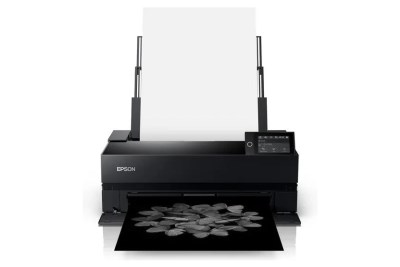
Standard warranty with the extra care of FOMEI. Certified service technicians with many years of experience provide the basis for a very high-quality and at the same time fast service on your device. We know that if the printer does not print, it does not earn money. Therefore, we place great emphasis on speed while maintaining a very high level of service quality. Many of our customers have already appreciated this.
EPSON CoverPlus
Enjoy years of worry-free operation with the extended warranty for EPSON large-format printers and minilabs. With EPSON CoverPlus, you can extend the peace of mind for trouble-free photo production to 36 to 60 months. More information about EPSON extended warranty for your printer is available at fototisk@fomei.com.
Post-Warranty Service
Is your device already out of warranty? Don’t worry, even in this case the FOMEI service is at your disposal with its experience and knowledge. Our colleagues can often repair and bring back to life devices that have been in use for many years.